The person who keeps AI work running every day
AI agents do not become reliable just because the model is strong. They become useful when someone owns the operating loop: queues, traces, evals, approvals, incidents, costs, permissions, and stale knowledge.
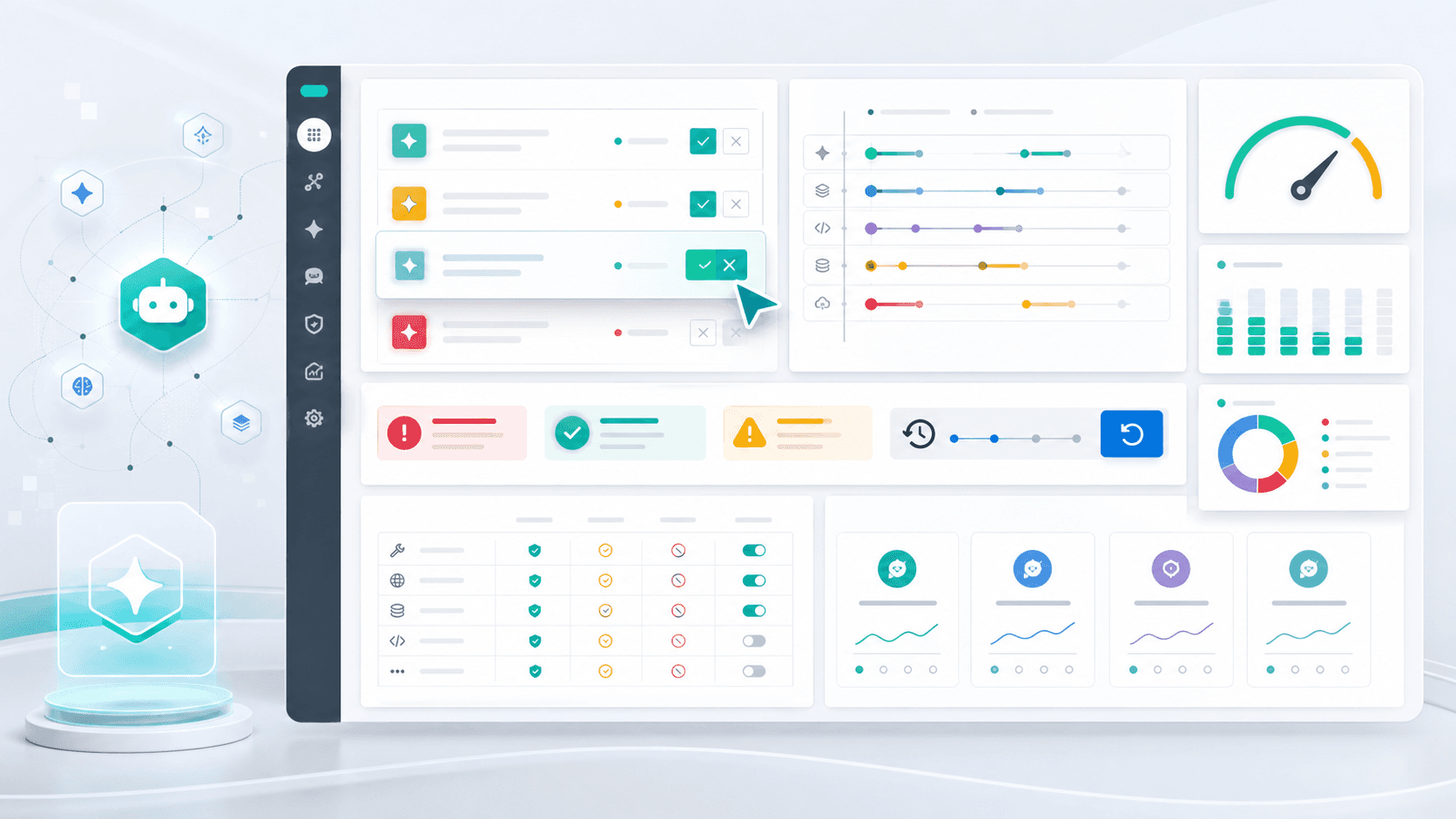
AI Agent Ops Manager guide
The next bottleneck in AI adoption is not only model choice. It is operations. Once an agent can read company knowledge, call tools, draft customer messages, update systems, and run on a schedule, someone has to own the daily loop. The Agent Ops Manager is that owner: the person who turns impressive demos into workflows that can be inspected, corrected, measured, and improved.
1. Overview: agents need an operator, not only a prompt
A common AI adoption mistake is to treat the agent like a smarter chat window. Give it a goal, connect a few tools, and hope the model figures out the rest. That works for a demo. It breaks when the work is repeated every day, touches customers, changes records, spends money, or depends on current company rules.
The more capable the agent becomes, the more the work looks like operations. There is an approval queue. There are failed runs. There are tool errors, stale source documents, cost spikes, ambiguous handoffs, customer-facing drafts, and cases where the agent should have stopped earlier. None of these are solved by writing a prettier prompt once.
This is why the role matters. An Agent Ops Manager is not necessarily a machine learning engineer. In a small company, it may be the founder, operations lead, customer support lead, or external AI operations partner. The job is to keep the agent loop healthy and to turn repeated corrections into a better system.
2. Small dictionary: the words are less scary than they look
Agent Ops Manager means the person responsible for the daily running condition of AI agents. Think of this person as a shift lead for digital workers. They do not do every task by hand, but they decide what can run automatically, what needs approval, what failed, and what the system should learn next.
A queue is a waiting line. Approval queue means actions waiting for a person to approve, edit, or reject. A trace is the path the agent took: which instruction it read, which tool it called, what result came back, and where it decided next. A span is one small step inside that trace, like one tool call or one retrieval step.
Eval means a repeatable test for the agent. Regression test means a test that prevents the same mistake from coming back. Healthcheck means a quick check that the workflow is alive and normal. Rollback means a written way to undo a bad action. SLA is the promise level of a service, and KPI is the metric used to judge whether the workflow is working.
SOP means Standard Operating Procedure. In plain language, it is the written way the team wants work done. A file such as AGENTS.md or CLAUDE.md is a project memory file: it tells an agent the local rules, context, and boundaries. MCP is a standard connector that lets agents reach tools, files, databases, and apps. It is useful, but it does not decide whether a tool call is safe.
- Queue: the waiting line of work, approvals, failures, or escalations.
- Trace: the visible path of what the agent did and why.
- Eval: a repeatable test that checks whether the agent still performs correctly.
- Regression: an old mistake that should not return after it was fixed.
- Healthcheck: a quick signal that the workflow is alive and normal.
- Rollback: the prepared way to undo or contain a bad action.
- MCP: a connector layer, not a substitute for permission and review rules.
3. The daily loop: what the operator checks every day
The first daily job is the approval queue. Which customer messages, CRM updates, refunds, public posts, file changes, or tool calls are waiting for review? The operator should not only click approve. They should ask why the approval was needed, whether the agent gave enough evidence, and whether the same case can become easier next time.
The second job is the failure queue. Which runs timed out, used the wrong source, called the wrong tool, exceeded a budget, produced a weak answer, or escalated without enough detail? A failed run should become one of four artifacts: a better SOP, a sharper source rule, a new eval case, or a stricter permission boundary.
The third job is freshness. Agents connected to company knowledge can be wrong with old truth. The operator checks whether the source of truth changed, whether a policy expired, whether a customer-facing rule now conflicts with an old note, and whether the agent needs to stop and ask when the source is stale.
- Review approval queue: approve, edit, reject, and label the reason.
- Review failed runs: tool errors, weak evidence, timeouts, bad retrieval, and unsafe assumptions.
- Check customer-impacting outputs before they become promises.
- Look for token and cost spikes by workflow, not only by total bill.
- Find stale sources, conflicting documents, and unresolved handoffs.
- Convert repeated mistakes into SOP updates, evals, permission rules, or dashboard alerts.
4. The dashboard: what should be visible
A useful agent dashboard is not a decorative analytics page. It is a control surface. It should show today runs, success rate, failed runs, waiting approvals, rejected approvals, unresolved escalations, tool errors, average latency, cost per workflow, stale source count, and repeated failure categories.
AWS AgentCore observability, OpenTelemetry traces, and the Google SRE monitoring discipline point in the same practical direction: a production system needs enough visibility to answer what is broken and why. For agents, that means seeing both infrastructure signals and product signals. Latency matters, but so does whether the agent used the right source and stopped before a risky action.
The dashboard should also separate symptoms from causes. A symptom is what the user experienced: wrong answer, late reply, failed workflow, unsafe draft. A cause is what created it: stale knowledge, missing permission, bad tool result, weak instruction, budget exhaustion, or a model routing mistake. The operator needs both.
- Operations: runs, success rate, failures, latency, duration, retries, and timeouts.
- Safety: approvals, rejections, escalations, forbidden action attempts, and rollback events.
- Knowledge: source freshness, conflict count, missing owner, and stale answer risk.
- Cost: token usage, model routing, expensive tasks, repeated retries, and wasted context.
- Quality: eval pass rate, regression failures, human edits, customer complaints, and recurring defects.
5. Why traces and evals matter more than vibes
Many teams review only the final output. That is understandable because the output is what the customer sees. But final-output review often hides the real problem. The answer may look wrong because the agent retrieved a stale source, skipped a tool, misread a policy, exceeded context, or used a risky assumption three steps earlier.
That is the observability gap. A 2026 paper on output-level feedback argues that humans who see only the result often cannot identify the hidden execution-state issue that caused the failure. Another 2026 study on AI coding agents found a logging gap: agents often handled logging less than humans, explicit logging instructions were not enough, and humans became post-generation repairers of observability. The practical lesson is simple: do not rely on prompt wishes for operating evidence.
A good operator turns traces into evals. If the agent failed because it used an old policy, create a test that checks policy freshness. If it called the wrong tool, add a permission or routing test. If it made a customer promise without approval, create a regression case that blocks that pattern before the next release.
6. Permissions, approvals, and MCP: connect tools after the boundary exists
MCP and tool calling are powerful because they let the agent act. That is also why they need an operator. A connected CRM, email tool, payment system, file system, browser, or deployment command is no longer just text. It changes a real surface.
OpenAI Codex approval and permission guidance, OpenAI Agents approval patterns, and the MCP tool specification all point to the same operating idea: sensitive tool calls should be visible, confirmable, logged, constrained, and reviewable. A tool should not become safe just because the model asked to use it.
The operator maintains the permission table. Read-only internal lookup can often run automatically. Customer-facing messages, CRM updates, refunds, publishing, and outbound should usually be draft-first or approval-first. Money movement, credential changes, account deletion, irreversible production writes, and regulated decisions should be blocked by default or require explicit approval every time.
- Automatic lane: internal, read-only, reversible, low-cost, and easy to verify.
- Approval lane: external-facing, expensive, sensitive, customer-impacting, or policy-dependent.
- Forbidden lane: irreversible, destructive, credential-related, regulated, or high blast-radius actions.
- Every tool should have an owner, allowed actions, blocked actions, log location, and rollback rule.
7. The weekly loop: turn incidents into system upgrades
Daily operations keeps the workflow alive. Weekly operations makes it better. Once a week, the operator should review the top failures, the most edited approvals, the most expensive runs, the stale sources, and the customer-impacting issues. The question is not who made a mistake. The question is what artifact prevents the same mistake next week.
The OpenAI cookbook agent improvement loop is a useful model here: traces, human feedback, model observations, evals, and code or harness changes form a flywheel. In business language, that means corrections should not stay in chat history. They should become SOP updates, source-of-truth changes, eval cases, dashboard alerts, or permission updates.
This weekly loop is also how autonomy expands safely. Do not give the agent more permission because the demo felt good. Give it more permission after the logs show repeated success, the evals pass, approval edits are low, rollback is ready, and a human owner can explain the remaining risk.
- Review the top five repeated failures and convert each into an artifact.
- Add eval cases from rejected approvals, edited drafts, and customer complaints.
- Update stale SOPs and source-of-truth documents.
- Audit permissions and remove tools that are broader than the current workflow needs.
- Report what improved, what still needs approval, and what remains blocked.
8. Who should own Agent Ops in a small company
A small company usually does not need a new department. It needs one named owner. The founder may own the first month. Then operations, support, growth, or an external service partner can take the role depending on the workflow. The key is that ownership must be explicit. If everyone assumes the AI is self-managing, nobody owns the queue when it fails.
The owner does not need to be the best prompt writer. They need to understand the business rule, the customer risk, the source of truth, and the approval boundary. Technical help is useful for traces, dashboards, tool integration, and eval harnesses, but the operating standard must come from the business.
This is a natural GUILDEX service package. Start with a Fit Check to choose one workflow. Build the first workflow with sources, SOP cards, approval lanes, and verification. Then run a monthly Agent Ops Retainer: monitor the queue, review incidents, update evals, clean stale knowledge, audit permissions, and send a short operating report.
- Founder: owns priority, risk appetite, and first workflow choice.
- Operations lead: owns SOPs, approvals, handoffs, and weekly review.
- Support or sales lead: owns customer-facing quality and escalation rules.
- Technical partner: owns traces, tool wiring, dashboards, eval harnesses, and release checks.
- GUILDEX package: Fit Check, First Workflow Setup, and Monthly Agent Ops Retainer.
9. As AI improves, people must improve with it
Better AI does not make human growth optional. It changes the human job. The valuable person is no longer only the person who writes every answer, clicks every button, and fixes every draft. The valuable person defines the work, chooses evidence, sets boundaries, reads patterns, and improves the system after each failure.
This is why Agent Ops is not anti-automation. It is the path to deeper automation. When people learn to express source rules, approval rules, evals, dashboards, rollback, and ownership, agents can safely take on more work. The person moves from task doer to system operator and coach.
The practical first step is small. Pick one agent workflow this week and assign an owner. Create one approval queue, one failure log, one eval list, one stale-source check, and one weekly review. That is enough to stop treating AI as a lucky prompt and start treating it as an operating system.
Questions for nontechnical operators
You do not need to memorize every technical term. If you can answer these questions, the idea is ready to be tested in real work. If the answers are empty, write the work rules before adding more automation.
- What repeated job in our company matches this topic?
- If this job goes wrong, what is damaged: customers, money, time, or reputation?
- Which part should AI handle, and which part should a person approve?
- What trusted material should AI read before it answers or acts?
- What evidence will show that the result improved?
- If the same failure repeats, which SOP or checklist should change?
참고자료
- OpenAI Agents SDK docs: Integrations and observability
- OpenAI API docs: Evaluate agent workflows
- OpenAI Cookbook: Build an agent improvement loop with traces, evals, and Codex
- OpenAI Codex docs: Agent approvals and security
- OpenAI Codex docs: Permissions
- Model Context Protocol specification: Tools
- AWS Bedrock AgentCore docs: Observability
- OpenTelemetry docs: Traces
- Google SRE book: Monitoring Distributed Systems
- NIST AI Risk Management Framework
- Anthropic: Building effective agents
- Anthropic: Effective context engineering for AI agents
- arXiv: Do AI Coding Agents Log Like Humans?
- arXiv: The Observability Gap
- Reddit r/AI_Agents: Moving agents to production and monitoring signal
- Reddit r/askdatascience: Product observability for AI agents signal
- X: Hermes ecosystem signal on execution approvals, MCP management, telemetry, cost, and memory
- X: loop engineering signal on schedule, maker, checker, state file, budget, and stopping conditions
- X: Korean loop engineering signal on designing the loop, not only prompting the agent
- X: service-as-software company OS signal on SOPs, MCPs, safeguards, human corrections, and self-improvement
Turn your first AI agent into an operated workflow
Guildex helps teams choose one realistic workflow, define source rules, approval lanes, tool permissions, traces, evals, and weekly improvement routines so AI adoption becomes a managed operating system rather than another unmanaged experiment.