What people should own when AI joins the team
When AI agents start doing real work, the human role must be redesigned. Learn how to separate workflow ownership, review, approval, escalation, and improvement so agents become safer operating assets.
Human-AI operations guide
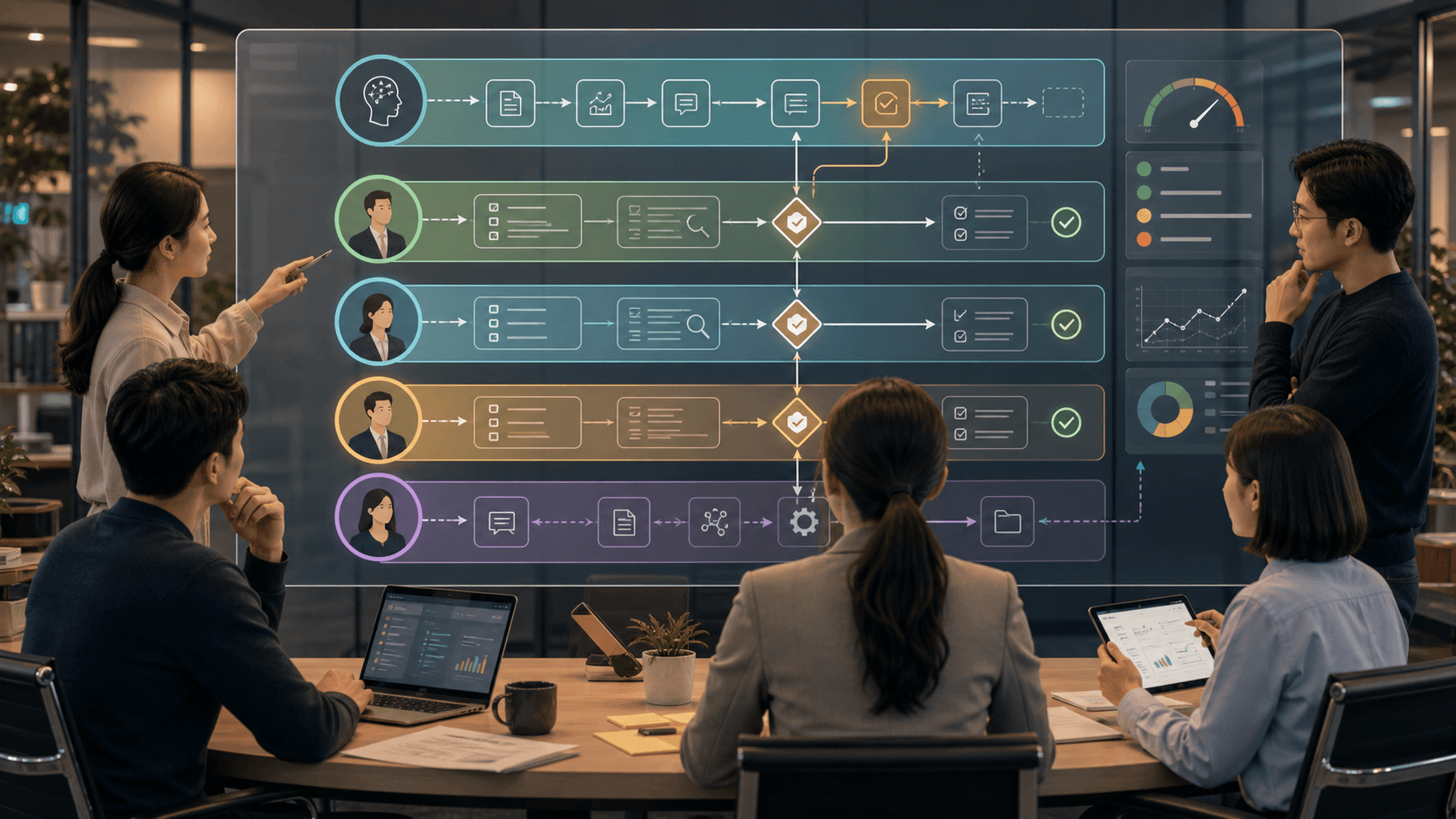
AI agents do not remove human responsibility. They move it. Once an agent reads company knowledge, drafts replies, updates records, or calls tools, the company needs a role map: who owns the workflow, who reviews the evidence, who approves outside-world actions, who handles escalation, and who turns failures into better instructions.
1. Overview: AI changes human work, but does not erase responsibility
A company can make an impressive AI agent demo with one clever prompt. The hard part starts later, when the agent becomes part of a real workflow. It reads private context, drafts customer-facing text, changes a CRM field, sends a message, or asks to run a tool.
At that point, the human role cannot stay vague. If everyone assumes "someone will check it," nobody owns the quality boundary. If every action waits for one founder, the agent becomes a queue with a nice interface. If the agent is allowed to act without review, the company gets speed without accountability.
This is why human role design is an operating problem. OpenAI agent documentation treats human approval and guardrails as concrete workflow mechanisms. NIST frames AI risk management around governance, mapping, measuring, and managing risk. In plain language: the company has to decide who is responsible before the agent starts acting.
2. Small dictionary: role map, reviewer, approver, escalation
A role map is a simple table that says who does what when AI is involved. It should be readable by a business owner, not just engineers.
A workflow owner is the person responsible for the business result. If the refund workflow goes wrong, this is the person who owns the operating fix, even if AI produced the draft.
A reviewer checks quality. They look at the answer, source, trace, changed fields, and risk. A reviewer is asking, "Is this correct and complete?"
An approver authorizes a consequential action. They decide whether the agent may send the email, update the record, issue the refund, deploy the change, or contact the customer. An approver is asking, "Should this action happen now?"
- Escalation: the path for sending uncertain, risky, or blocked cases to a higher owner instead of forcing the first reviewer to guess.
- Audit trail: the record of who reviewed, who approved, what changed, and why.
- RACI: a classic role model meaning responsible, accountable, consulted, and informed. For AI adoption, use it lightly as a role checklist, not a ceremony.
- Improvement owner: the person who turns repeated failures into better SOPs, prompts, permissions, eval cases, and training examples.
3. Failure pattern: the human becomes a tired monitor
The first bad pattern is "human as monitor." The agent runs, the human watches a queue, and every item asks for approval. This looks safe, but it often becomes review theater. The human sees a summary, clicks approve, and cannot inspect what the agent read or what it will change.
Recent Reddit discussions around LangChain and AI agents repeatedly point at the same practical issue: approval buttons are not enough. Teams need the action, reason, risk, affected records, and rollback path at the moment of decision. Treat these as community signals, not verified statistics, but the operating pain is consistent.
The second bad pattern is "human as cleanup crew." The agent makes mistakes, people fix them manually, and nothing returns to the system. In that setup, AI creates a faster mess. The correction must become a system change, or the same failure will come back next week.
- Weak review: "Approve this customer reply?"
- Useful review: "Approve this customer reply, based on these three sources, with these two changed fields, this risk label, and this rollback path?"
- Weak improvement: "Tell the agent to be careful."
- Useful improvement: "Add one SOP rule, one eval case, and one permission boundary."
4. Role 1: workflow owner
The workflow owner is not the person who writes the prompt. It is the person who owns the business outcome. In customer support, that may be the support lead. In finance, it may be the controller. In sales ops, it may be the CRM owner.
The owner chooses the boundary of the workflow, the acceptable error rate, the approval threshold, and the rollback rule. Without this owner, the AI project becomes a technical experiment that nobody can safely expand.
For Guildex-style automation diagnosis, the owner is the first field to name. Before asking "which agent should we use," ask "who will own this workflow after the agent is introduced?"
- Owns the business result and quality target.
- Decides which tasks are in scope and out of scope.
- Accepts or rejects expansion from draft-only to reviewed action.
- Owns the rollback decision when the agent gets worse.
5. Role 2: reviewer
The reviewer is the person who can judge the work. This is different from a manager rubber-stamping the final answer. A reviewer needs enough context to check the agent’s reasoning path.
A good review screen should show the input, sources, tool calls, draft output, changed fields, confidence, risk label, and previous similar failures. OpenAI tracing and guardrail patterns point in this direction: the review should happen with the run context visible.
The reviewer’s job is not to rewrite everything. Their job is to label what failed. Was the source wrong? Was the tone wrong? Was the policy missing? Was the tool call unnecessary? These labels feed the improvement loop.
- Reviewer checks: source accuracy, policy fit, tone, missing context, changed fields, risk level, and trace quality.
- Reviewer output: approve draft quality, request edits, reject, or escalate.
- Reviewer metric: human edit rate, rejection reason, time to review, and repeated failure type.
6. Role 3: approver
The approver is responsible for side effects. Sending an email, changing a database record, issuing a refund, deleting a file, deploying code, or contacting a customer is not the same as drafting text. The action touches the outside world.
OpenAI and Microsoft agent frameworks both describe human-in-the-loop approval patterns for tool calls. The practical meaning is simple: the system can pause before a sensitive action, show the action clearly, and resume after a human decision.
The approver should not approve every tiny step. Approval belongs where the action is consequential, hard to undo, customer-facing, financial, legal, security-sensitive, or reputation-sensitive.
- Drafting a reply: usually reviewer gate.
- Sending the reply: approver gate if customer-facing or risky.
- Preparing a refund note: reviewer gate.
- Issuing the refund: approver gate.
- Updating a non-critical tag: maybe automatic after confidence is proven.
7. Role 4: improvement owner
The improvement owner is the most overlooked role. They make sure human review compounds instead of evaporating. Without this role, every correction stays inside one ticket, one Slack thread, or one person’s memory.
This owner maintains the SOP, prompt, permission map, eval set, scorecard, and failure taxonomy. When the same error appears three times, the improvement owner does not just tell the agent to try harder. They change the system.
The x-inbox-router signals around OpenHarness, company operating systems, skills, and MCP layers all point to the same lesson: the model is only one part of the operating system. The durable value comes from the procedures around it.
- Adds new failure cases to the gold set.
- Updates SOPs and prompt instructions with named changes.
- Tightens or expands tool permissions based on evidence.
- Reports weekly patterns to the workflow owner.
8. The Guildex role table
For a first AI workflow, keep the table small. One row per workflow is enough. The point is not bureaucracy. The point is to prevent responsibility from becoming invisible.
A useful first row is: workflow, agent task, workflow owner, reviewer, approver, escalation owner, improvement owner, approval threshold, rollback rule, and weekly metric.
If the same person holds multiple roles at the beginning, that is fine. The problem is not one person wearing many hats. The problem is nobody naming the hats.
- Customer reply draft: support lead owns, senior support reviews, founder approves risky sends, ops owner improves SOP.
- CRM update: sales ops owns, account manager reviews, revenue lead approves high-value account changes, sales ops improves field rules.
- Internal research summary: founder owns, operator reviews, no approval needed unless it triggers an external action.
9. Checklist before expanding the agent
Before expanding an AI agent from draft-only work to real actions, answer the role questions. Who owns this workflow? Who can judge quality? Who approves irreversible action? Who receives escalation? Who updates the system after failure?
If those answers are missing, the next step is not a bigger model. It is role design. AI can make the workflow faster, but only role design makes it governable.
- Every workflow has one owner.
- Every risky output has a reviewer with enough context.
- Every consequential action has an approver and a visible action summary.
- Every approval has an audit trail.
- Every repeated failure becomes an SOP, prompt, permission, or eval update.
참고자료
- OpenAI Agents SDK: Human-in-the-loop
- OpenAI Agents SDK: Guardrails
- OpenAI: A practical guide to building agents
- Anthropic: Building effective agents
- NIST AI Risk Management Framework
- Microsoft Learn: Using function tools with human approval
- Reddit r/AI_Agents: Approval is not review if the human cannot inspect the action
- Reddit r/LangChain: approval step becomes the bottleneck nobody owns
- X: OpenHarness, tools, memory, permissions, and coordination
- X: Tool Calling, MCP, and Skills are different layers
Design the human roles before expanding the agent
Guildex Fit Check maps the workflow owner, reviewer, approver, escalation path, improvement owner, approval threshold, and rollback rule before turning AI into an operating workflow.